.svg)
Jamie Kay: Outfit Builder
A much-loved New Zealand baby and children's brand, known for beautifully made everyday essentials in signature prints.
Jamie Kay is one of New Zealand's best-loved baby and children's brands, known for beautifully made everyday essentials in signature prints. Their original Create Your Own feature let customers pick pieces, but it never let them see an outfit come together as a whole.
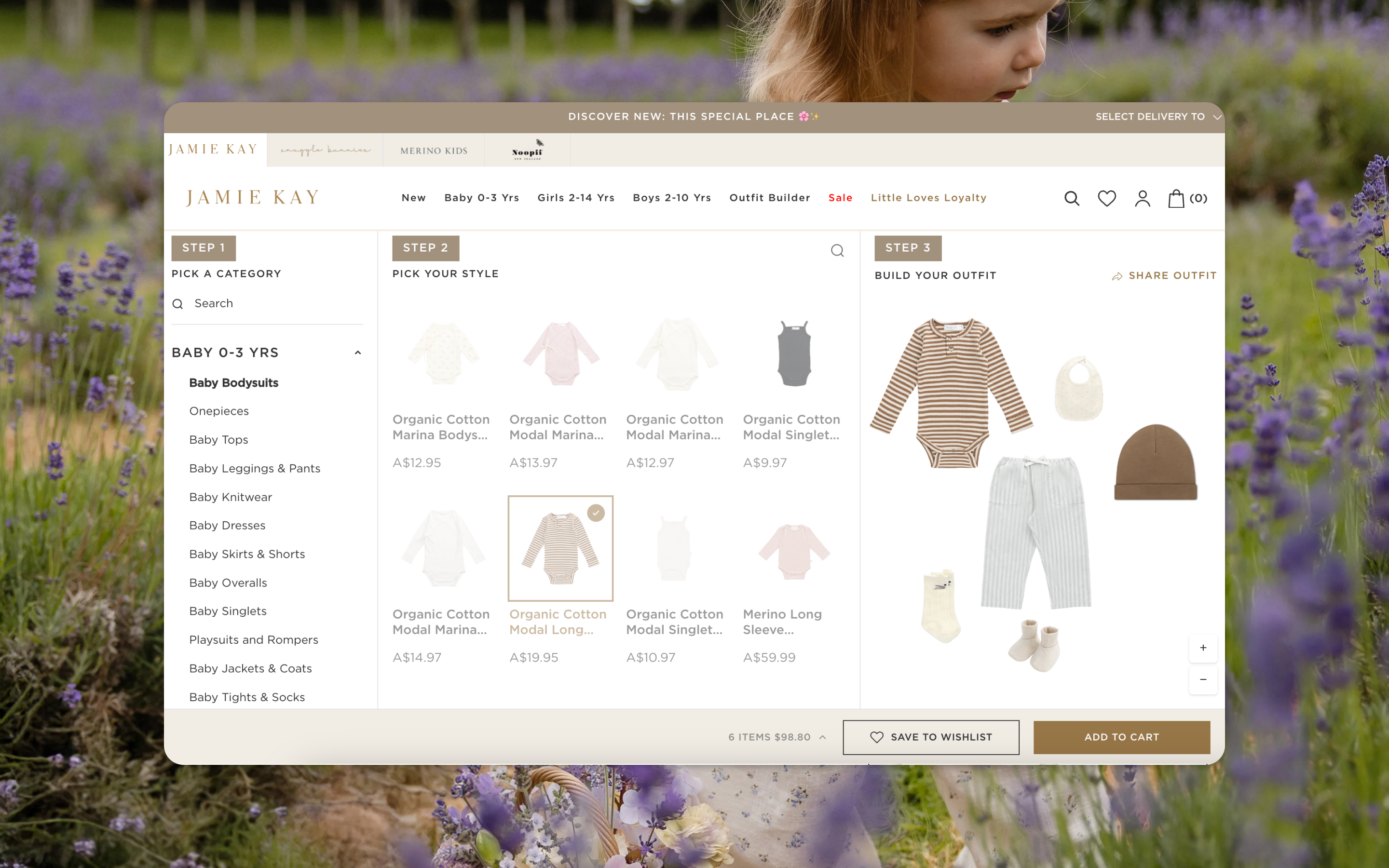
Moustache Republic rebuilt Create Your Own as an upgrade to the previous version. The new flatlay layout lets customers build an outfit and arrange it on the page, so they can see exactly how different pieces look together before they buy.
Built as a Preact application on Shopify Plus, the experience runs across desktop and mobile, adds a full outfit to cart in a single action, and lets customers share the look they've created with a link.
It's also a foundation to grow on: the same self-contained build can scale into a future Jamie Kay mobile app if they want one, with enhanced analytics, conversion tracking and affiliate support lined up for phase two.

How we did it
Take Create Your Own from a functional selector to a genuine styling experience that rewards exploration.
Increase multi-item purchases by making it effortless to build and buy a complete outfit in one action.
Ship on the .co.nz store first, built so it can roll straight out to the AU and US storefronts.
A flatlay canvas where pieces sit together on the page, so customers can see how an outfit actually looks as a whole.
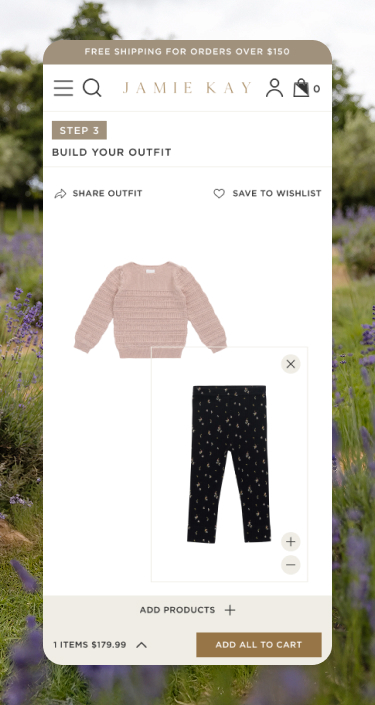
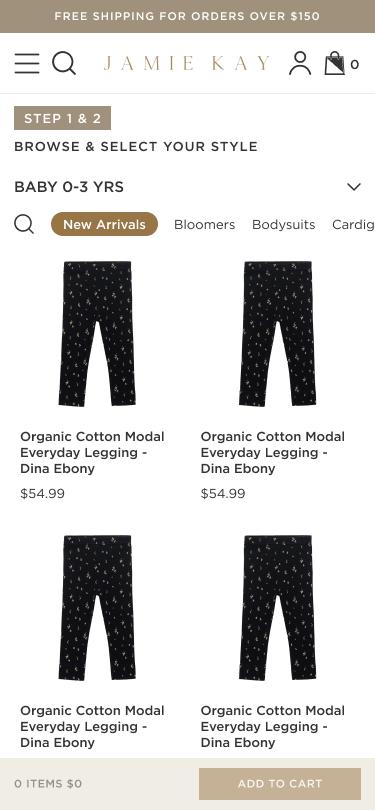
A clear three-step flow - pick a category, pick your style, build your outfit - that works just as well on mobile as on desktop.
Let customers resize and rearrange pieces on the canvas, then share the finished outfit with a link.
A Preact application embedded in the Shopify theme, driven by the Shopify Storefront API with client-side state for the live outfit.
Products are pulled from curated collections and rendered from a dedicated PNG metafield, with lazy loading to keep large images fast.
Size is selected before a piece is added, sold-out variants are disabled, and the whole outfit is combined into a single add-to-cart request.
Outfit state, including item positions, is stored in the URL, so a shared link rebuilds the exact look - and PDP deep links drop customers straight into the builder with the product preselected.

The Challenge
Turning a simple outfit selector into a styling experience.
- The previous Create Your Own flow let customers pick pieces, but not see them styled together
- Building a full outfit meant adding items one by one, with no sense of the whole look
- The experience needed to feel playful and brand-led, not transactional
- It had to handle size selection, sold-out variants and a single combined add to cart
- It needed to work beautifully on mobile as well as on desktop
- And it had to be built once on NZ, ready to roll out to AU and US
The Solution
A flatlay outfit builder that makes styling part of the fun.
- Rebuilt Create Your Own as a three-step flatlay canvas — pick a category, pick your style, build your outfit
- Customers add up to six pieces and arrange them together to see the complete look
- Pieces can be resized and repositioned on the canvas for a true styling feel
- Size is chosen before adding, sold-out variants are disabled, and the whole outfit is added to cart in one action
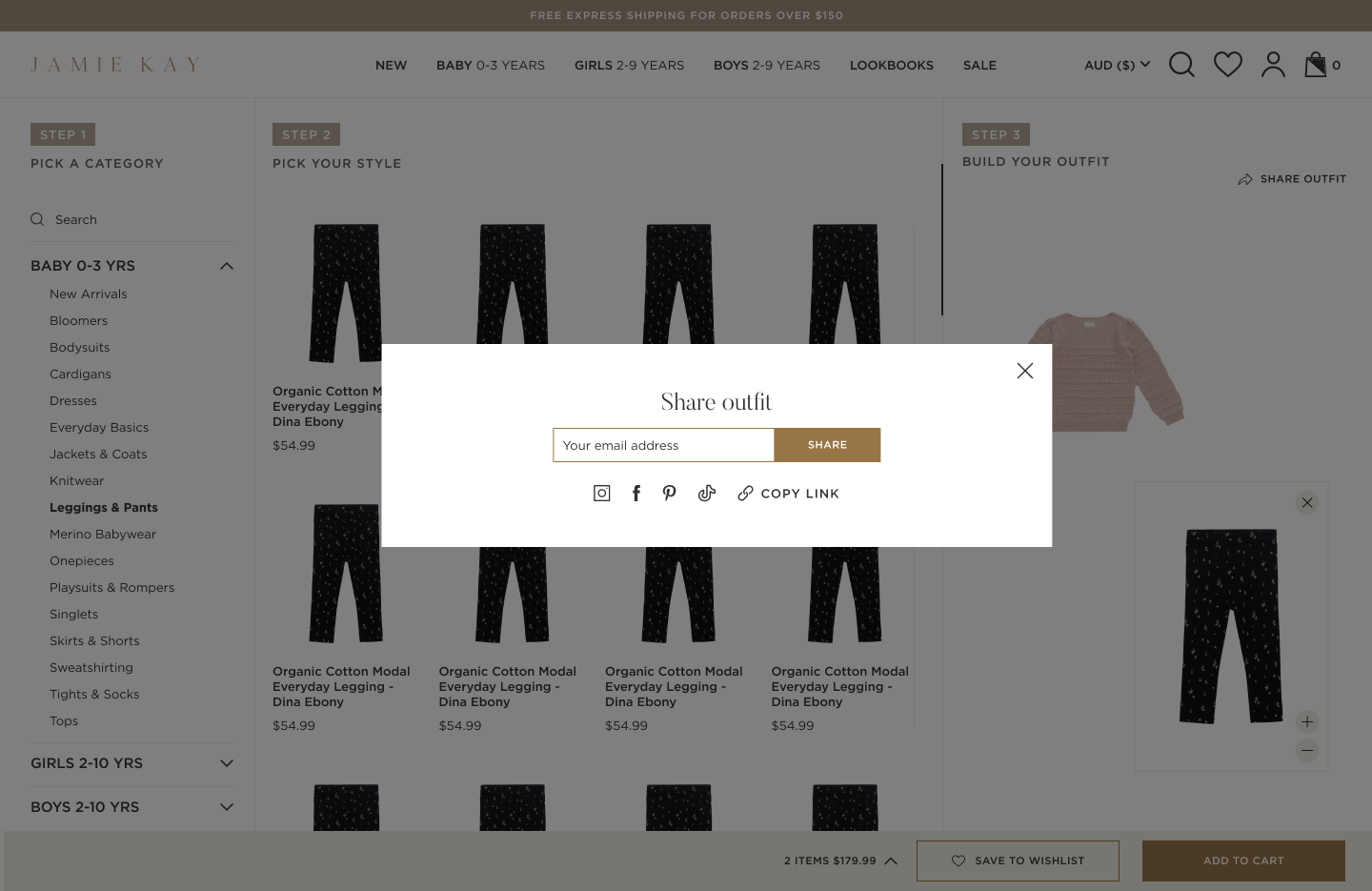
- Finished outfits can be shared via a URL that rebuilds the exact look, positions and all
- Collection-scoped search and PDP deep links make it easy to find pieces and jump straight in
- Fully responsive across desktop and mobile, built on NZ and ready for AU and US
- Built as a reusable foundation, ready to scale into a mobile app if Jamie Kay wants, with enhanced analytics, conversion tracking and affiliate
Grow with the mo.

.svg)